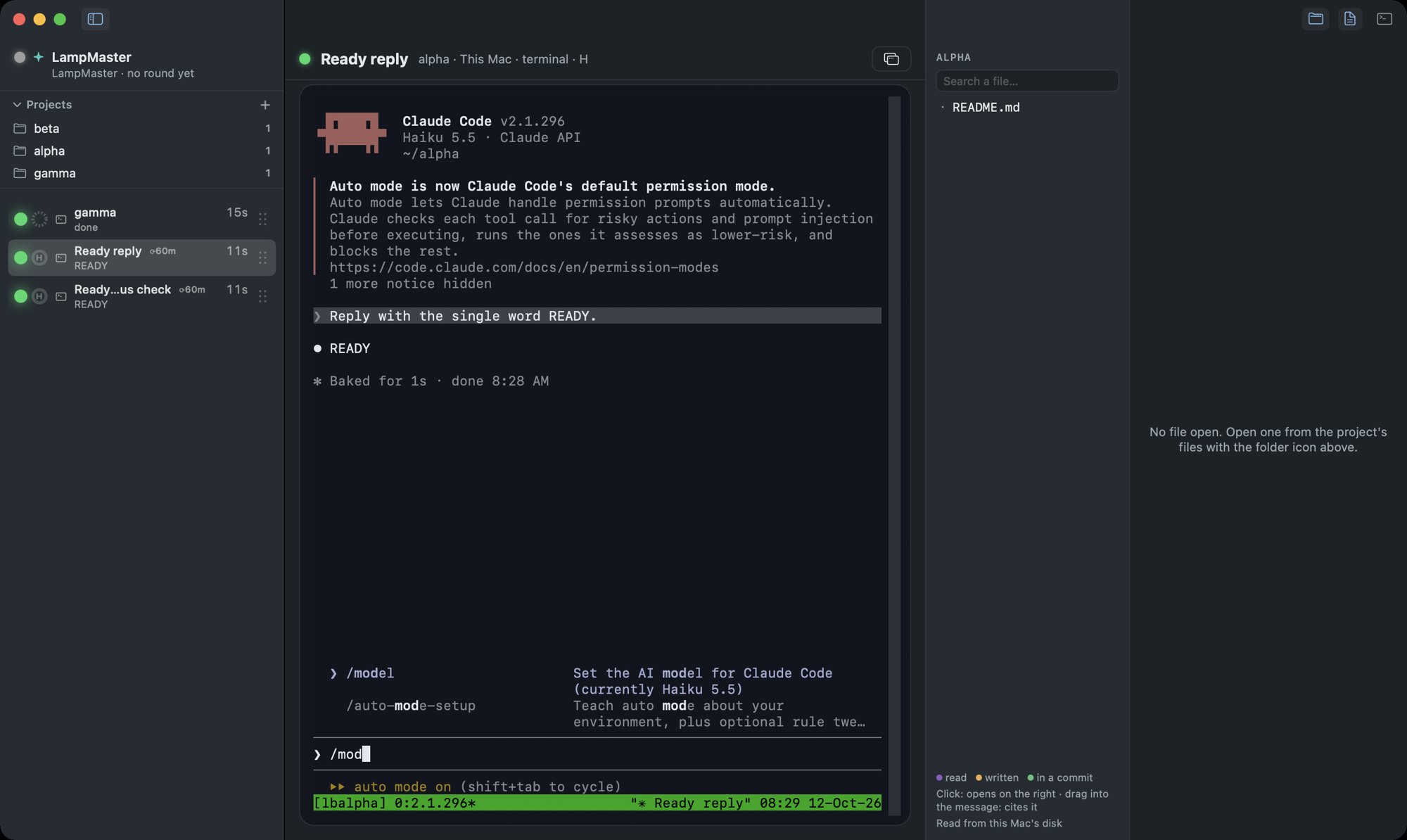
LampBoard is a column of lamps that floats over your Mac, one lamp per project. It shows what every Claude Code and Codex session is doing, blinks when one is stuck waiting for your answer, and takes you to that window in one click.
You keep your eyes on the work in front of you. The panel does the checking.
Free, open source, and nothing leaves your Mac.
Twelve windows. One agent has stopped and is waiting for you. From the outside it looks exactly like the eleven that are still working. Open windows until you find it.
This is the tax. After a few rounds of it you stop checking, so finished work sits unread while a blocked agent stays blocked. LampBoard turns it around: the sessions call you. You never poll them.
A desk with five windows and the panel over them. Click a lamp to raise its window. Drag a handle to reorder. Right-click a row for the menu. Rest on a row for its card. Press 1 to 5 to jump by keyboard.
Two sessions in mobile-client, one Claude Code and one Codex, share a row. The handle colour tells them apart. The Q3 report runs in the Claude desktop app, so its colour is read from the transcript: working, ready or resting, and the card says so.
A removed row comes back on its own if that session speaks again. A hidden one is folded into a summary row that lights up when something in it needs you.
Blinking is spent on the one state where the work has stopped because of you. Everything else holds still.
Green means unread, not all clear. Clicking the lamp marks it seen.
A turn can hand control back while three background agents keep working for another forty minutes. A list of sessions calls that green. Step through what actually happens.
The blue state comes from the payload itself. Claude Code reports background work in the Stop event, so nothing here is guessed from timestamps.
Every session has a context budget, and it decides where you start the next big task. The ring beside each lamp shows how much is spent. It stays grey on purpose: the lamp already owns the colour.
On a Codex row the window size comes from Codex itself. The card says declared, because that number rests on their figure, not ours.
Sort by urgency and the row you need moves every time. Keep your order and it lights up where your eye already looks. The first nine rows are keyboard slots, so slot 3 is the same project tomorrow.
Three events in, and nothing is where you left it.
The row lights up where it has always been.
Claude Code and Codex get the same row. What each row can promise differs, and the card says so rather than letting you find out later.
Codex has no error event, so a Codex row never turns red. Claude desktop sessions never read the hooks, so their colour comes from the transcript and never goes amber. Cloud sessions in the desktop app run in a VM this Mac cannot see, and they are not shown at all.
| Claude Code | Codex | Claude desktop, local | |
|---|---|---|---|
| Where it looks | ~/.claude | ~/.codex | the app's own index |
| Context ring | measured | declared by Codex | measured |
| Amber names the tool | no, by choice | yes | never amber |
| Red when a turn fails | yes | never | never red |
| Blue while agents work | yes | yes | derived |
| A click raises | the window or tab | the window or tab | the app |
The hooks that decide a permission stay unregistered. A monitor does not become a participant.
The server listens on 127.0.0.1 only, and a test checks that with lsof against the live process.
Notifications, presence, writing back into a session and the deep link into a tab are all off until you switch them on.
macOS 14 or later. No Dock icon, no menu bar item: the panel is the app, and it opens as soon as it is installed.
Or with Homebrew. All four lines: since Homebrew 6 a cask from a third-party tap is refused until the tap is trusted.
$ brew tap marmyx77/tap $ brew trust marmyx77/tap $ brew install --cask lampboard $ lampboard install-hooks
macOS asks once. The first launch shows the "downloaded from the Internet" dialog while you are still looking at the terminal. Click Open. Until you do, the panel does not appear.
Codex only: open Codex, run /hooks, and approve the entry. Codex will not run a hook it has not been told to trust, and it says nothing when it declines.
696 domain tests and 98 end-to-end tests run on every change. No third-party code. MIT licence.